

Website go-live checklist: how we take WordPress sites live
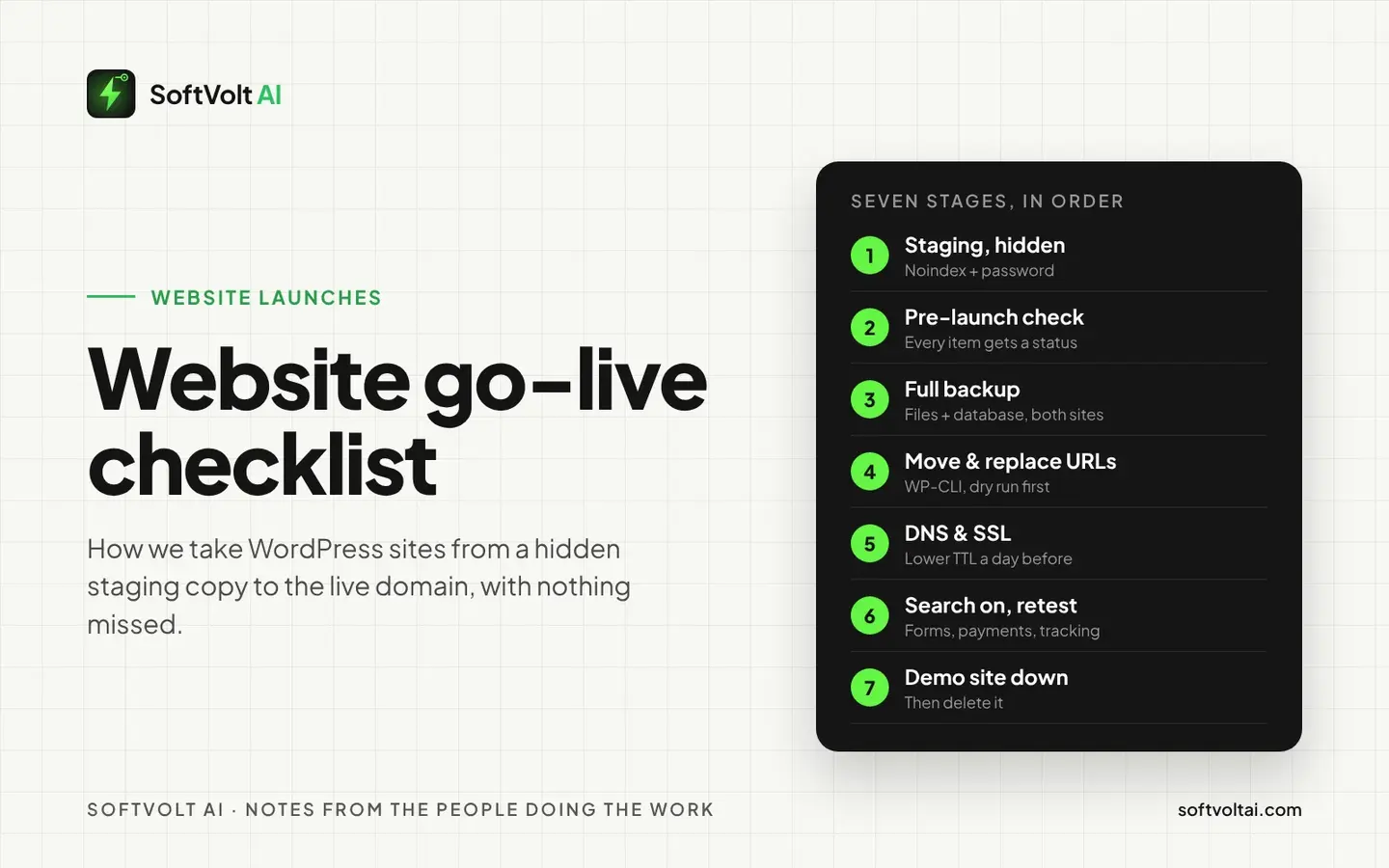
The checklist we use to take WordPress sites from a hidden staging copy to the live domain: what to check, how to move the files and database, how to switch DNS, and what to do on launch day.
- Published
- Written by
- Md Alamgir Hossen
- Reading time
- 9 min read
- Filed under
- White-label development
Most launch-day problems are small, and they all show up at once. The contact form sends email to nobody. The old demo site still shows up in Google. A checkout that worked perfectly on staging fails on the real domain, because the payment webhook still points at the demo address.
We take WordPress sites live every week, for agencies under their brand and for business owners direct. Every site is built on a private staging copy first, then moved to the live domain with the same website go-live checklist. This post is that checklist, in the order we use it.
Quick answer: build on a staging site that search engines are told to ignore. Run a full pre-launch check and give every item a status. Take a complete backup, move the files and database, and replace the old URLs with a tool that is safe for WordPress data. Lower your DNS TTL a day before, switch the records and confirm SSL. Then turn search indexing on, test forms and payments again on the live domain, and take the demo site down.
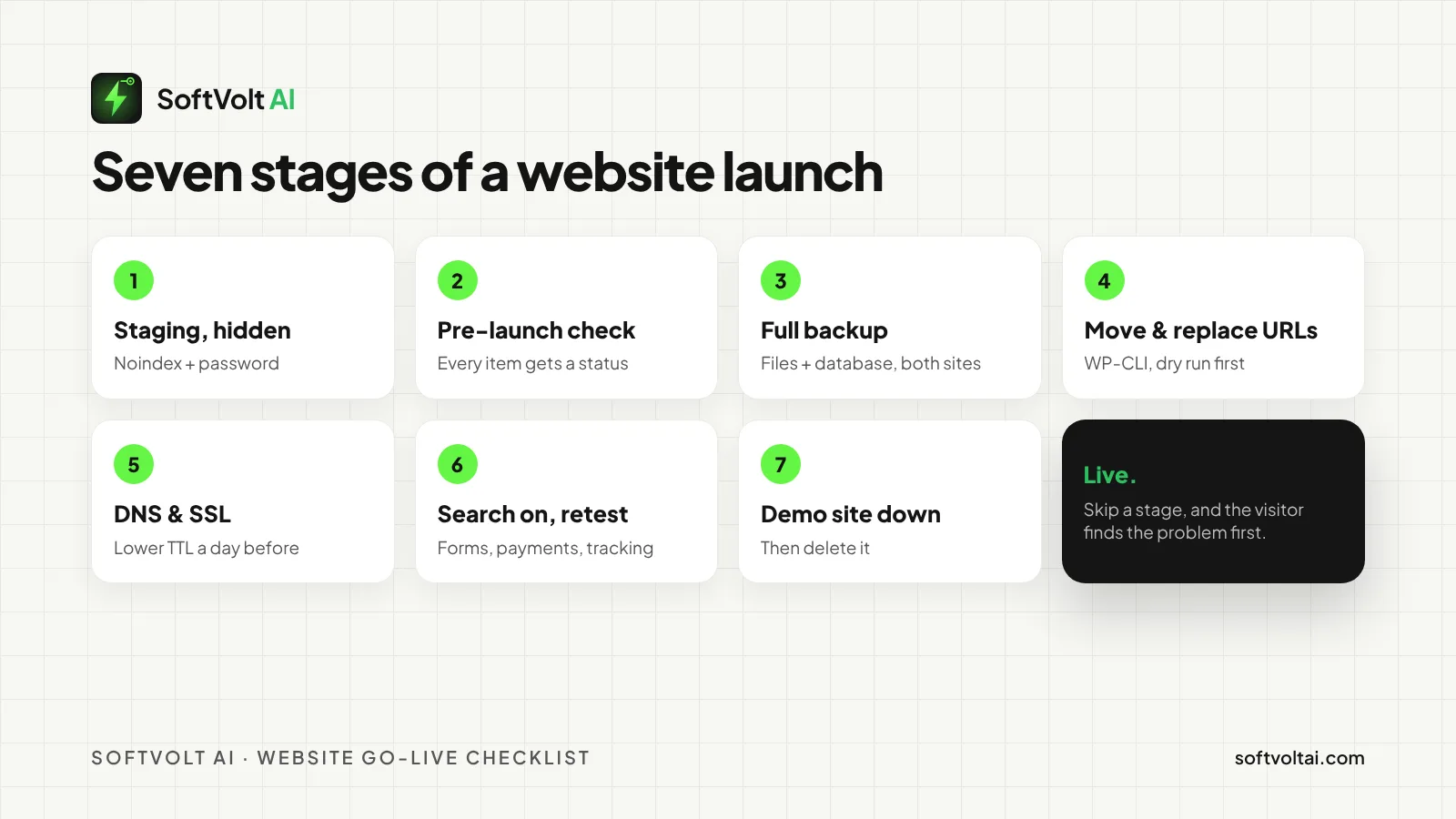
Seven stages, always in this order. Most launches that go wrong skipped one.
Why a website go-live checklist matters
A launch is a short window where many things change at once: the domain, the server, the database, the email and the search settings. Each change is simple on its own. Together, it is easy to miss one, and the visitor finds it before you do.
- Attacks are common. 43% of UK businesses found a cyber breach or attack in the last 12 months, according to the UK government’s Cyber Security Breaches Survey 2025/2026.
- Few have a plan. Only 25% of businesses in the same survey have a formal incident response plan. Most would be working it out on the day.
- Hiding a page from Google is harder than it looks. Google says a page blocked in robots.txt can still appear in search, because Google never reads the noindex tag on it.
That last point catches many people out. A demo site you thought was hidden can end up competing with the real one.
Stage 1: build on a staging site that search engines ignore
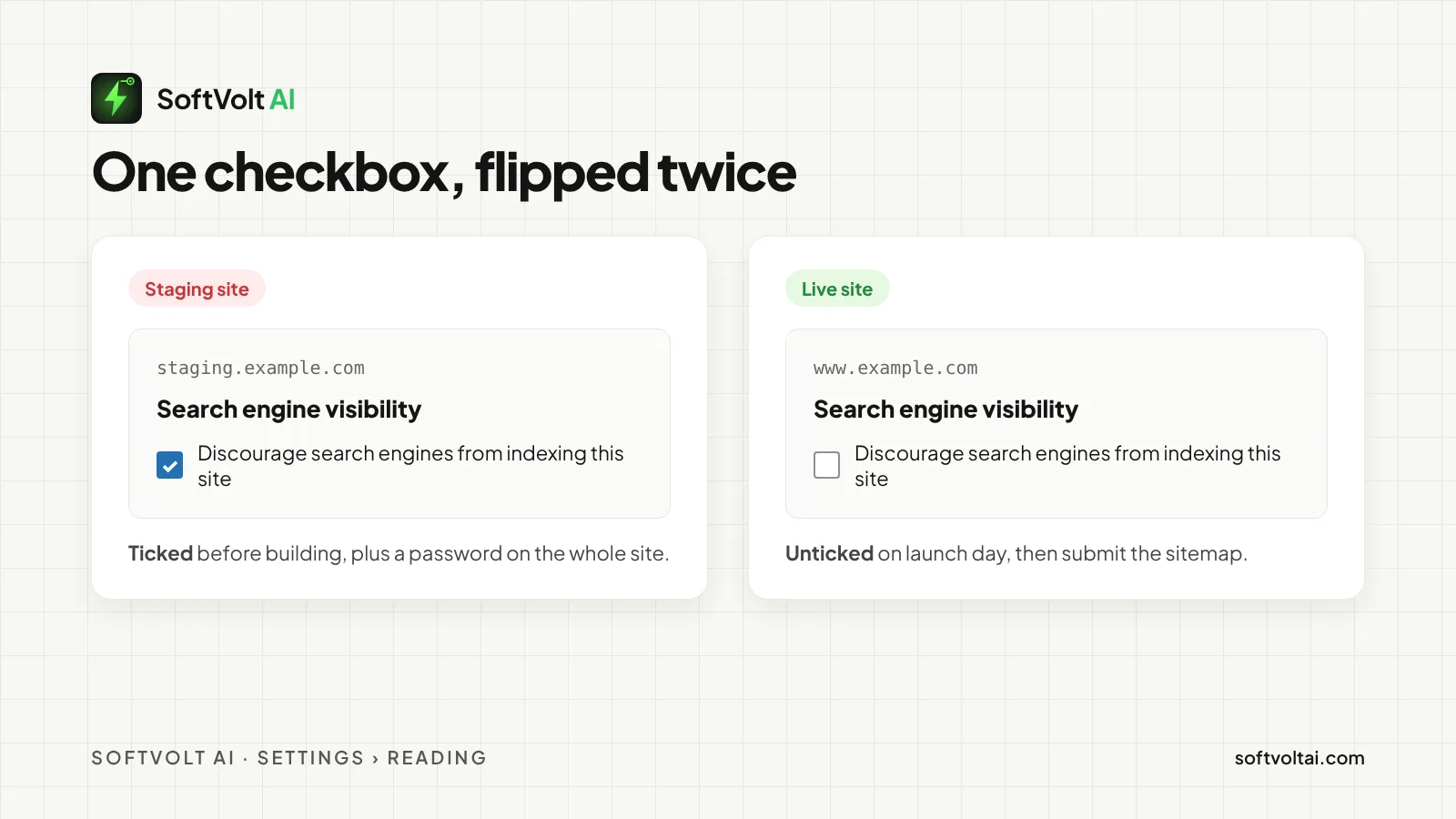
Every site starts on a demo address, never on the live domain. Before any content goes in, we tick Discourage search engines from indexing this site under Settings → Reading. Since WordPress 5.3, this adds a noindex tag to every page.
WordPress itself says this setting is only a request, and search engines decide whether to follow it. So we also put a password on the staging site. That keeps out search engines and curious visitors at the same time.
Two more habits help on launch day. Use one main admin account, saved in the project notes and not in someone’s inbox. And delete unused themes, plugins and demo pages before launch, because every extra plugin is one more thing to update and keep safe.
Stage 2: run the pre-launch checklist, and give every item a status
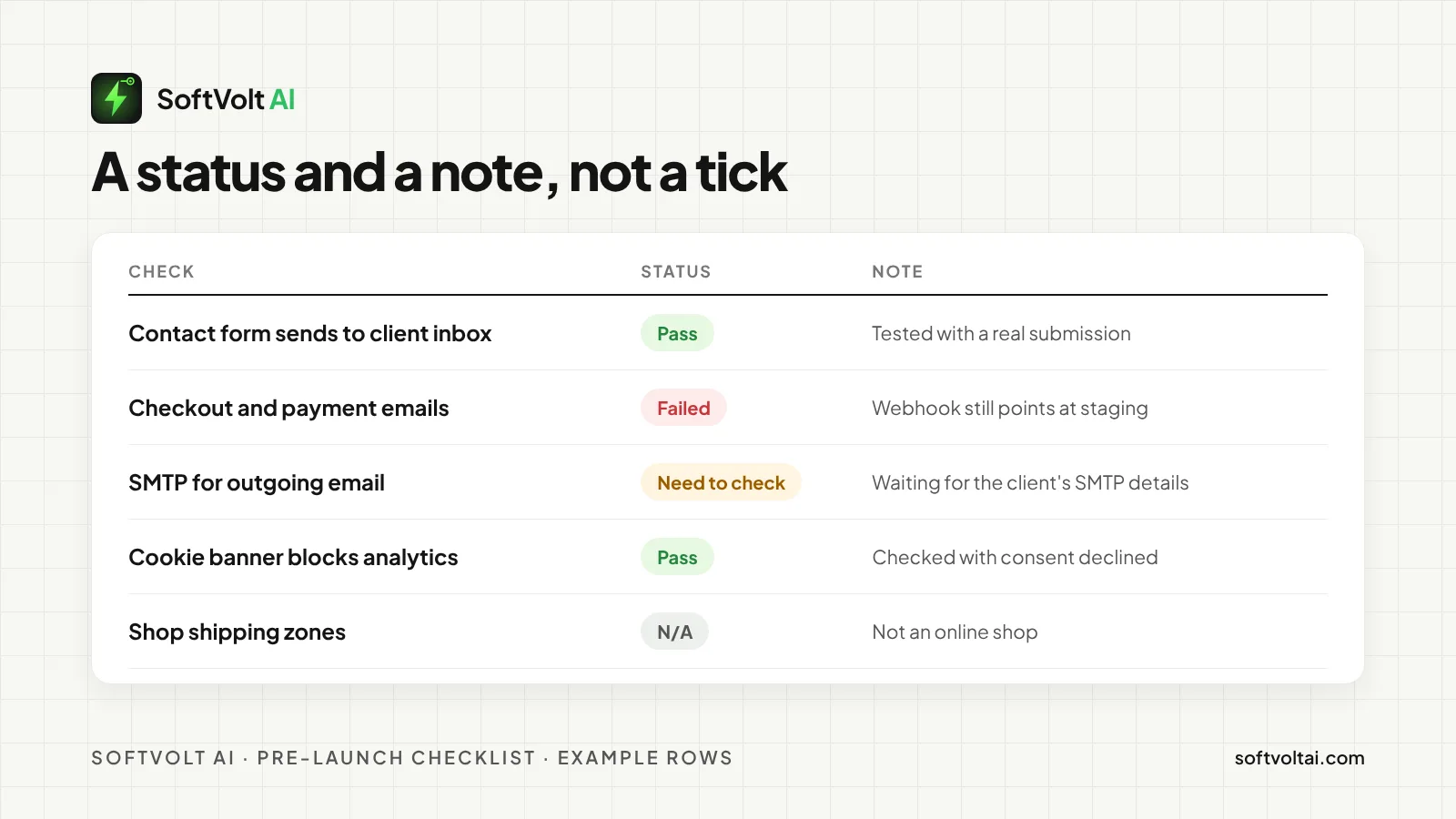
A tick box only says “done” or “not done”. A status says much more. We give every item one of four: Pass, Failed, Need to check or N/A, plus a short note on who is waiting for what. “Waiting for the client’s SMTP details” helps the whole team. An empty box helps no one.
| Area | What we check | How we check it |
|---|---|---|
| Design | Logo, favicon, fonts, buttons and images match the approved design | Side by side on desktop and laptop |
| Mobile | Every page on phones, tablets and laptops | Real devices and BrowserStack |
| Forms and email | Required fields, spam protection, thank-you page, saved entries | Real test submissions to a test inbox |
| Links | Menus, buttons, social links and a designed 404 page | Broken link checker |
| Speed | Caching, image compression, lazy loading, clean code | PageSpeed Insights and GTmetrix |
| SEO | Titles, meta descriptions, alt text, XML sitemap, robots.txt | A crawl of the staging site |
| Legal | Cookie banner, privacy policy, terms and conditions | Manual review |
| Online shops | Shop, cart, checkout, account pages, shipping, payments, order emails | Test orders from start to finish |
Doing this by hand on every launch takes hours. That is why we built FlyLive, an AI launch checklist for WordPress. It checks forms, SEO, speed, security, legal pages and WooCommerce for you, explains each problem in plain words, and gives you a launch report to share.
Stage 3: back up everything before you move anything
Before the move, take a full backup of the staging site and of the old live site, if there is one. That means every file and the database, downloaded and kept somewhere other than the server they came from. WordPress’s own guide to moving a site starts in the same place: back up your files and database first.
The old site’s backup matters most. If launch day goes wrong, it is the one thing you can put back while you fix the new one.
Stage 4: move the files and database, then replace the old URLs
Moving a WordPress site means copying the files and importing the database on the live hosting. The staging address is saved all through that database, in links, image paths and settings, and it has to change to the live address.
Don’t do this with a plain find and replace in SQL. WordPress saves some settings as serialized data, and WordPress warns that a blanket search and replace can break it. We use WP-CLI’s search-replace, which handles serialized data, and we always run a dry run first:
wp search-replace 'https://staging.example.com' 'https://www.example.com' --dry-run
wp search-replace 'https://staging.example.com' 'https://www.example.com'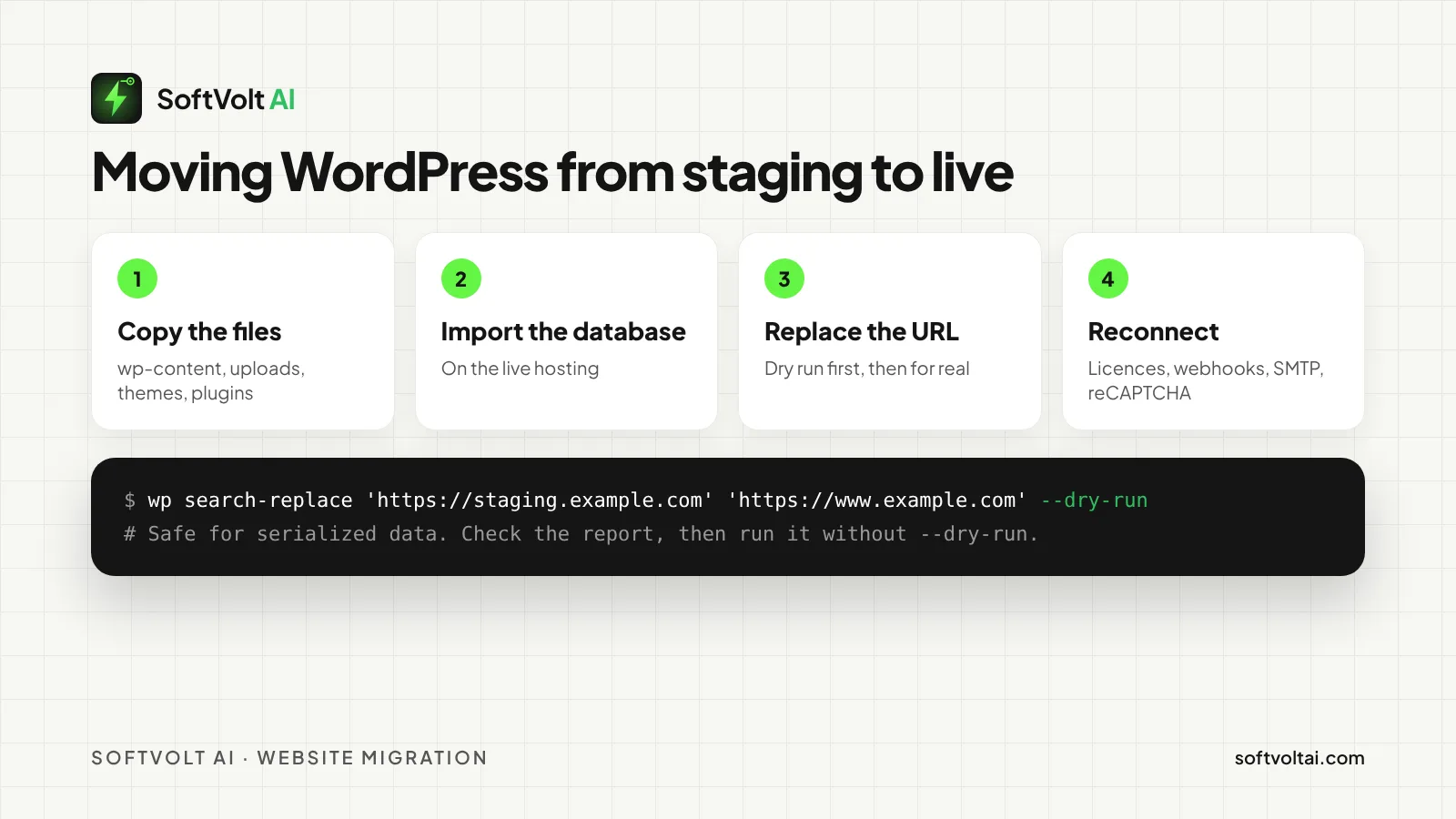
Then reconnect everything tied to the old address: page builder licences, payment gateway webhooks, SMTP for outgoing email, and reCAPTCHA keys for the live domain. These fail without warning if you forget them, so they get their own section on our checklist.
Stage 5: switch DNS and SSL without downtime
DNS records tell the internet where your domain lives. Each record has a TTL (time to live), which sets how long other servers keep a copy of it. Google gives the example of a record with a TTL of 86,400 seconds, where a change can take up to 24 hours to show everywhere.
So a day before launch, lower the TTL on the records you will change to 3,600 seconds, or 300 if you might need to switch back fast. On launch day, point the records at the new hosting, install the SSL certificate and force HTTPS. When everything is stable, raise the TTL again.
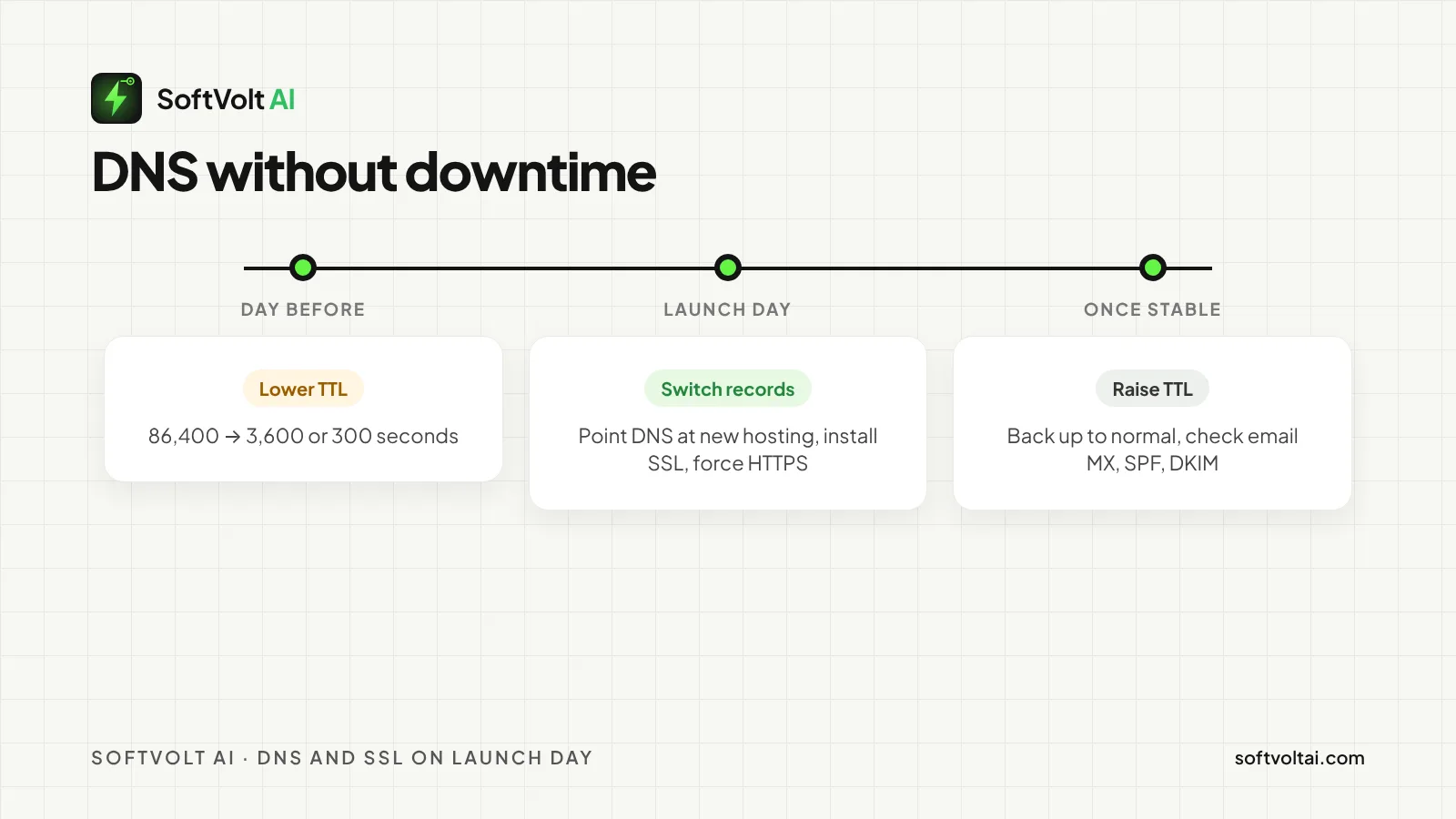
If your email uses the same domain, copy the MX, SPF and DKIM records across before you switch anything. Lost email is the launch problem clients notice first.
Stage 6: turn search on and test again on the live domain
On the live site, untick Discourage search engines straight away. Check that no noindex tag or robots.txt block came across from staging. Then submit the XML sitemap in Google Search Console.
If the domain or the URLs changed, follow Google’s site move guidance: map every old URL to its new one, set up permanent 301 redirects, and use the Change of Address tool in Search Console when the domain changes. Build the redirect map before launch, not after.
Then test what matters again, on the live domain: every form, newsletter sign-ups, test orders and payment emails, analytics and conversion tracking. Results from staging don’t count.
Stage 7: take the demo site down
Once the live site passes its checks, take the staging site down. When the client signs off, delete it. An old demo is a copy of your website that nobody updates: a security risk and a search risk at the same time.
Privacy rules to check before launch
- Cookies need consent first. In the UK and the EU, you can’t set non-essential cookies before the visitor agrees, and scrolling on is not consent, as the UK ICO’s cookie guidance explains. Check that the banner really blocks analytics and marketing tags until then.
- Form entries are personal data. Many form plugins save every submission in WordPress. Decide how long you keep them, and say so in your privacy policy.
- Privacy and terms pages go live with the site. Finish them and link them from every page before launch, not later.
- Know who does what if it breaks. Write down who restores the backup and who tells the authorities if personal data is exposed.
Frequently asked questions
What should a website pre-launch checklist include?
Design and content, mobile layout, forms and email, broken links, speed and caching, SEO basics, security, cookie consent and privacy pages. Online shops add cart, checkout, shipping and payment tests. Each item needs a status and an owner, not just a tick.
How long does DNS take to update when a website goes live?
It depends on each record’s TTL. With a TTL of 86,400 seconds, a change can take up to 24 hours. Lower the TTL to 300 or 3,600 seconds a day before launch, and the switch usually shows within minutes to an hour.
Should a staging site be hidden from Google?
Yes. Tick Discourage search engines in WordPress, and put a password on the staging site too, because the setting is only a request. Don’t rely on robots.txt alone, because Google can still list a blocked page.
How do I move a WordPress site from staging to live?
Back up both sites, copy the files and import the database. Then replace the staging URL with the live one using a tool that is safe for serialized data, such as WP-CLI’s search-replace, with a dry run first. Reconnect licences, webhooks, email and reCAPTCHA keys afterwards.
What should I do right after a website goes live?
Turn search indexing on, submit your sitemap, test forms and payments again on the live domain, check analytics, set up scheduled backups and a security plugin, and take the staging site down.
Want your next launch done with nothing missed?
We design, build and launch WordPress and WooCommerce sites, and move existing sites to new hosting without losing email or rankings. Agencies can send us the work under their own brand. Business owners can hire us direct.
- Moving an existing site? See our website migration service.
- Want it looked after once it is live? Read about website maintenance.
- Prefer to check it yourself? Try FlyLive, our AI launch checklist.
- Ready to start? Send us your project.
Sources
- UK Government, Cyber Security Breaches Survey 2025/2026
- Google Search Central, Block search indexing with noindex
- WordPress, Settings › Reading screen
- WordPress, Moving WordPress
- WP-CLI, wp search-replace
- Google Search Central, Site moves with URL changes
- ICO, Cookies and similar technologies
Comments
No comments yet. Yours would be the first.
Leave a comment
Your email is not published. Comments are read before they appear, so give it a few hours.