WordPress Update Issues: Database, PHP and Plugin Errors
A database update notice and a PHP compatibility warning look alike but have different causes and fixes. What each one means, why plugins like Contact Form 7 now need PHP 8.3, and how to update client sites safely.
- Published
- Updated
- Written by
- Md Alamgir Hossen
- Reading time
- 10 min read
- Filed under
- White-label development
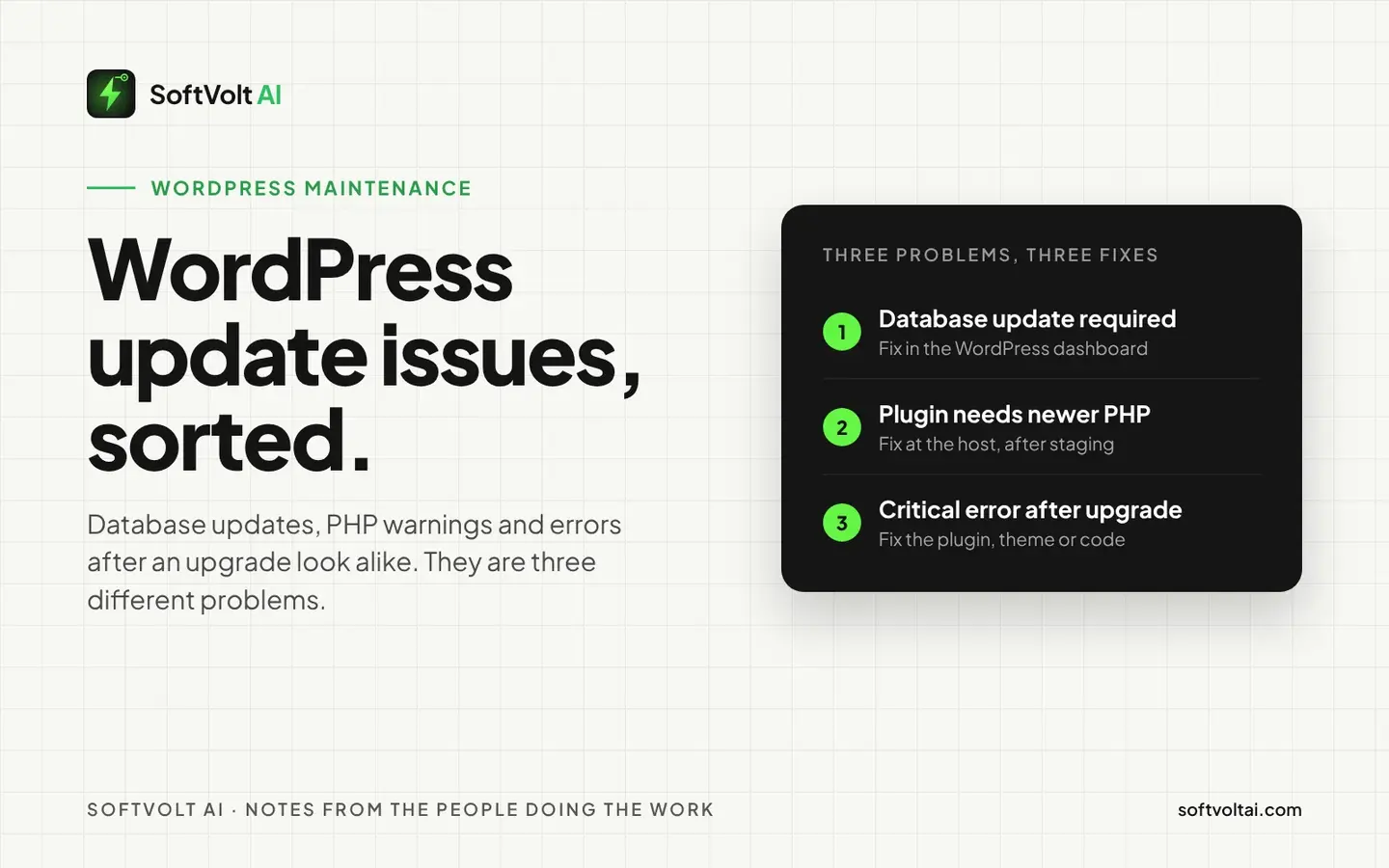
A client logs in to WordPress and something wants their attention. One screen asks them to update the database. A plugin will not update because of the PHP version. Or the site shows a critical error after someone changed a setting at the host. The client forwards a screenshot to the agency, and it looks like one problem. It is three.
We look after WordPress sites for agencies under their brands, and the most common mistake we see with WordPress update issues is fixing the wrong one: clicking through a database update when the real issue is PHP, or upgrading PHP before checking the plugins that will run on it. This guide is how we tell them apart on client sites, and the order we fix them in.
Quick answer: a database update means new WordPress or WooCommerce files need to bring the database in line, and it is usually safe after a backup. A PHP compatibility warning means a plugin needs a newer PHP version than the server runs, and the fix happens at the host, not inside WordPress. Errors after a PHP upgrade come from old code the new PHP no longer accepts. Back up, test on a staging copy, and change one thing at a time.
Why WordPress update issues are more common in 2026
- 55.6% of WordPress sites run PHP older than 8.3, worked out from WordPress.org’s own PHP version statistics (checked 3 November 2026).
- WordPress recommends PHP 8.3 or greater on its requirements page (updated May 2026). It still runs on PHP 7.4, but warns that older versions have reached end of life.
- PHP 8.1 reached end of life on 31 December 2025, and PHP 8.2 stops receiving security fixes on 31 December 2026, according to PHP’s supported versions page.
- Contact Form 7, active on more than 10 million sites, now requires PHP 8.3 or higher, according to its WordPress.org listing (checked 3 November 2026).
Put those together and more than half of WordPress sites cannot install the latest version of one of the most widely used plugins without changing PHP first. If an agency looks after 30 client sites, it is safe to assume a dozen or more of them are in that position right now.
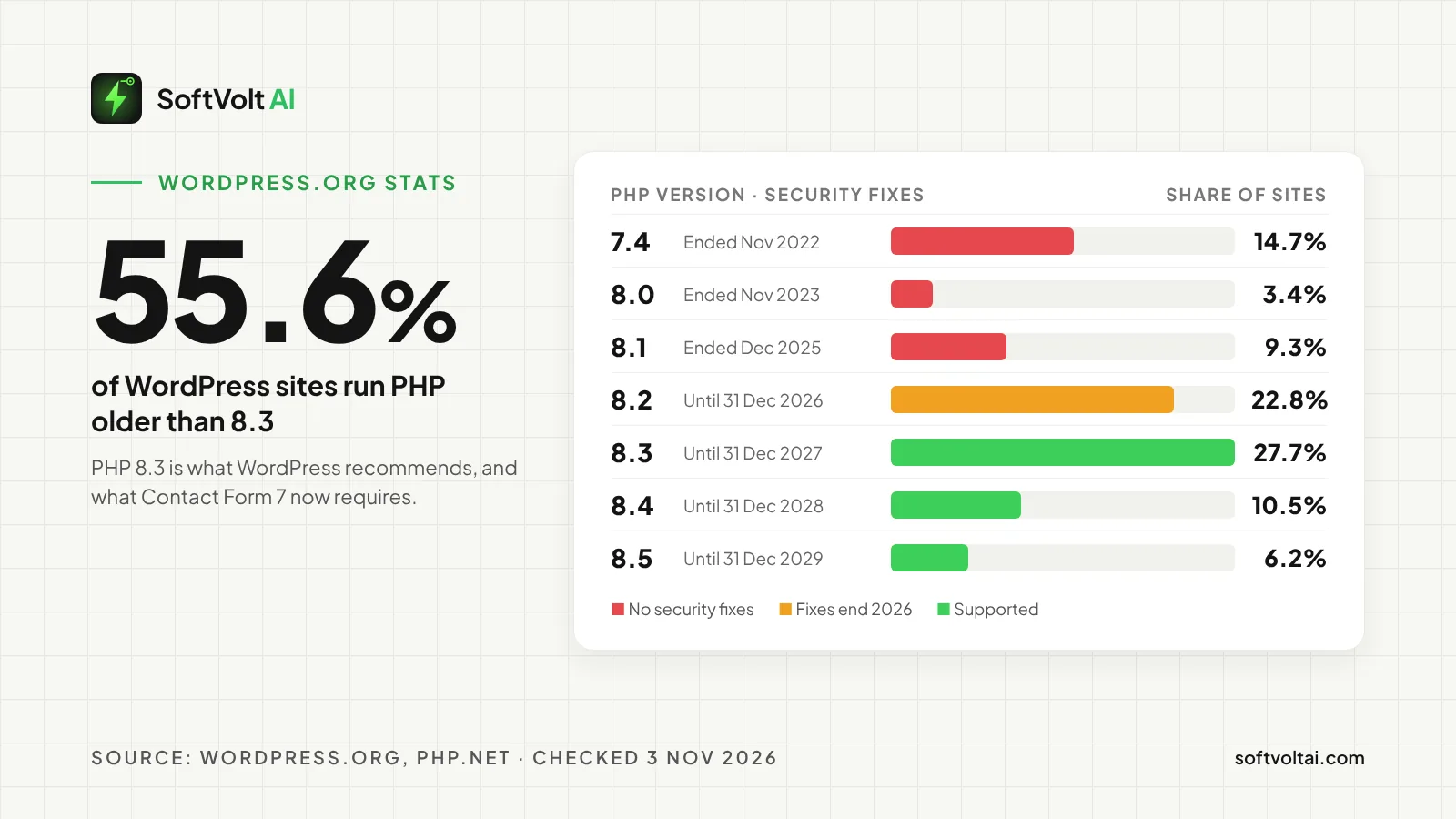
| PHP version | Security fixes | Share of WordPress sites |
|---|---|---|
| 7.4 | Ended 28 November 2022 | 14.7% |
| 8.0 | Ended 26 November 2023 | 3.4% |
| 8.1 | Ended 31 December 2025 | 9.3% |
| 8.2 | Until 31 December 2026 | 22.8% |
| 8.3 | Until 31 December 2027 | 27.7% |
| 8.4 | Until 31 December 2028 | 10.5% |
| 8.5 | Until 31 December 2029 | 6.2% |
Why does WordPress ask for a database update?
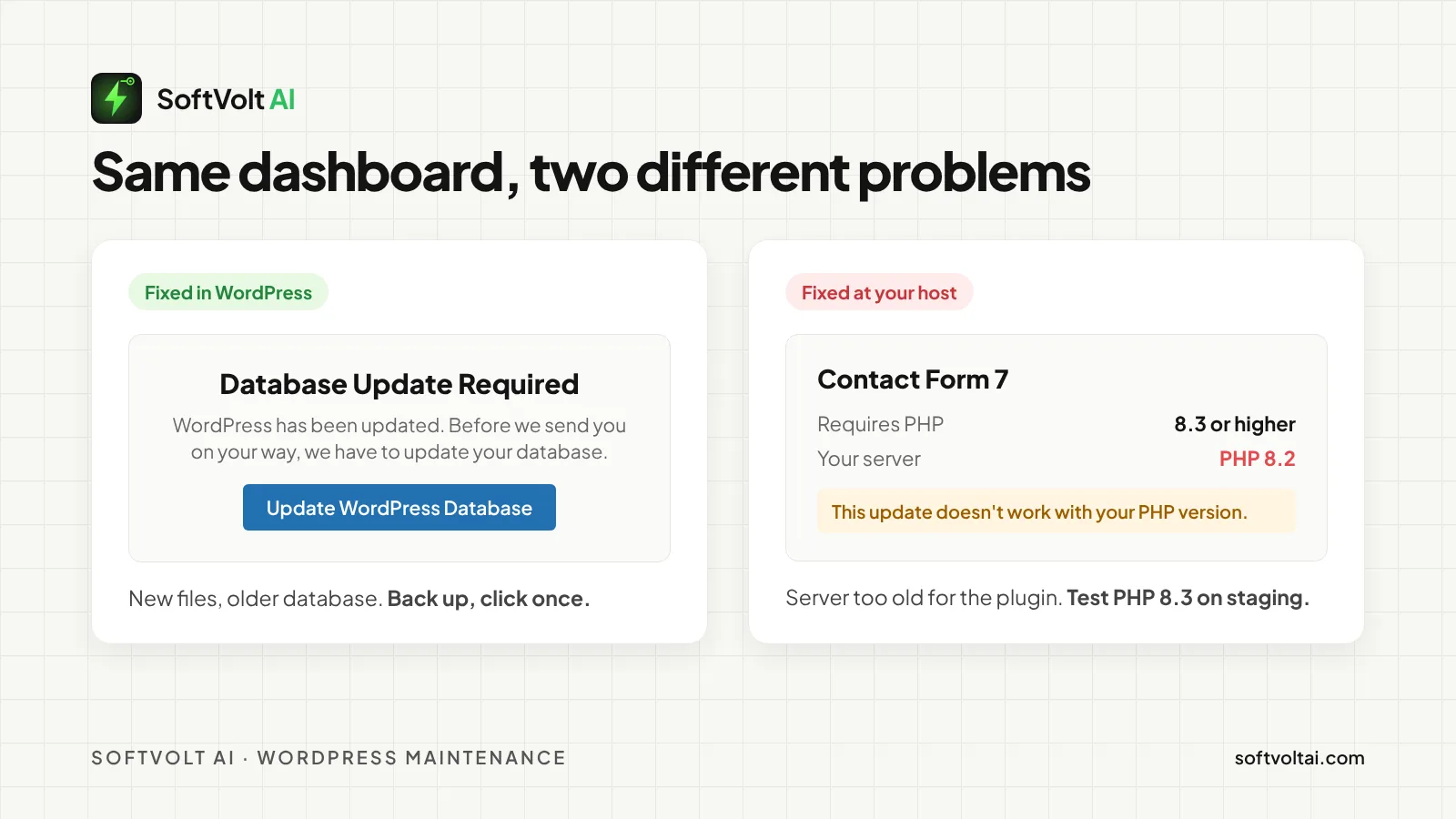
WordPress stores a version number for its database structure, called db_version. When new WordPress files arrive with a higher number, the two no longer match, and WordPress shows a screen titled “Database Update Required” with an “Update WordPress Database” button. Once it finishes, you see “Update Complete”.
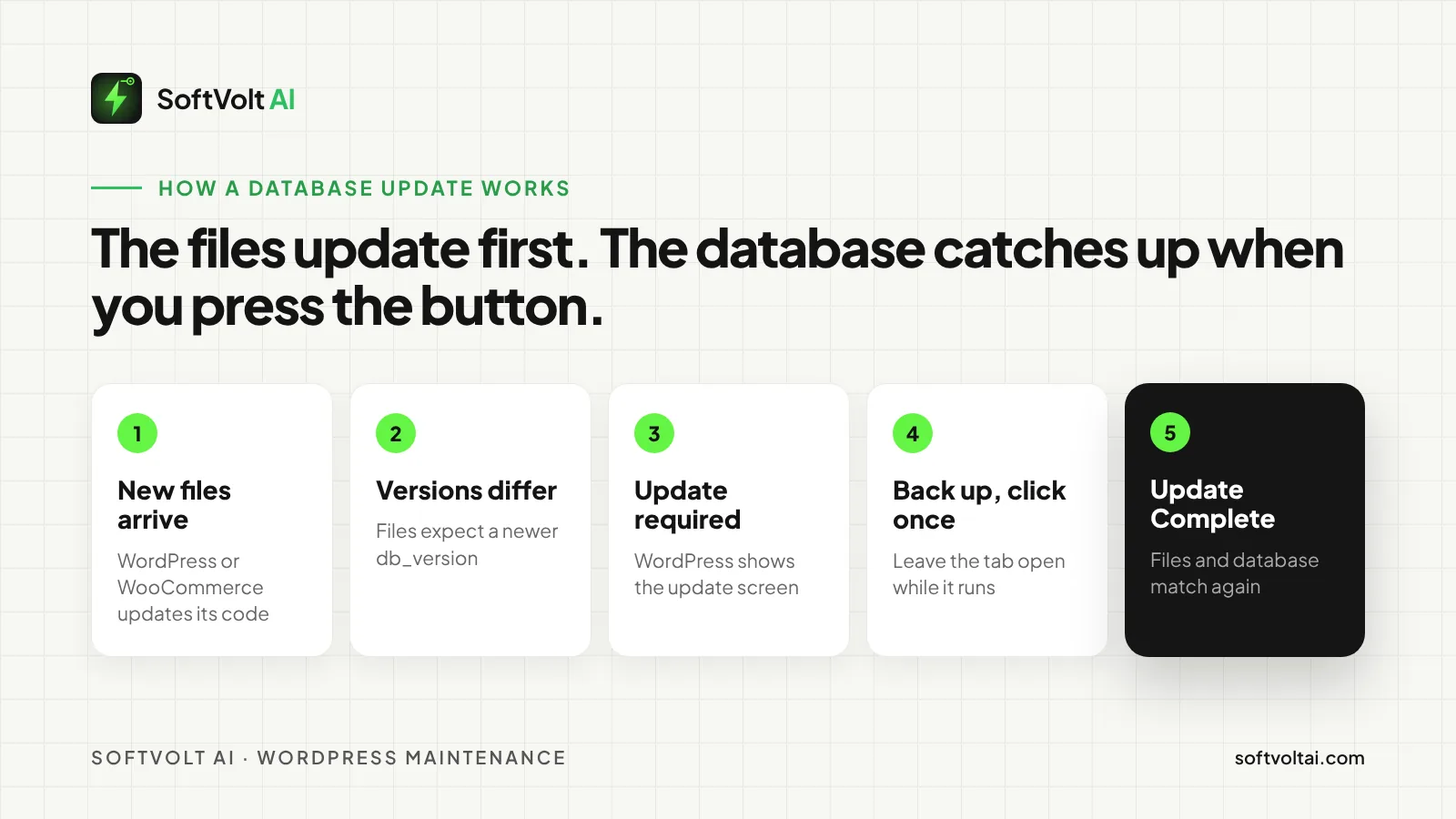
This is normal. Major releases sometimes change how data is stored, and the database update applies those changes once rather than on every page load. WooCommerce works the same way: its update guide says some updates need a database update after the plugin files update, and lets you watch progress under Scheduled Actions.
In practice: take a backup, click the button once, and leave the tab open until it finishes.
What happens if you skip a WordPress database update?
On a single site you cannot really skip it. WordPress’s admin code sends dashboard visits to the upgrade screen until the stored version matches, so the screen keeps coming back. On a multisite network the update runs in the background instead.
WooCommerce is different, because a shop keeps trading while its notice sits there. WooCommerce’s guidance is to finish the database update before carrying on testing. In our experience, new code running against an old data structure is where odd order and reporting problems start, and those are the tickets that take longest to trace back.
Why do WordPress plugins require a newer PHP version?
PHP is the programming language WordPress runs on, and each version is supported for a fixed period. Once a version stops getting security fixes, plugin developers stop testing against it and start using features only newer versions have.
Every plugin on WordPress.org declares a minimum PHP version. Since WordPress 5.2, WordPress checks that against the server and will not activate a plugin that needs a newer PHP than it runs. In our experience, updates that need newer PHP are held back too, with a note that the update does not work with your PHP version. The plugin keeps working on its old version, but it stops getting fixes, including security fixes.
Why is Contact Form 7 asking for a PHP upgrade?
Contact Form 7’s listing shows “Requires PHP: 8.3 or higher” and “Requires WordPress: 7.1 or higher”. That is the PHP version WordPress itself now recommends, so the plugin is following WordPress rather than going its own way.
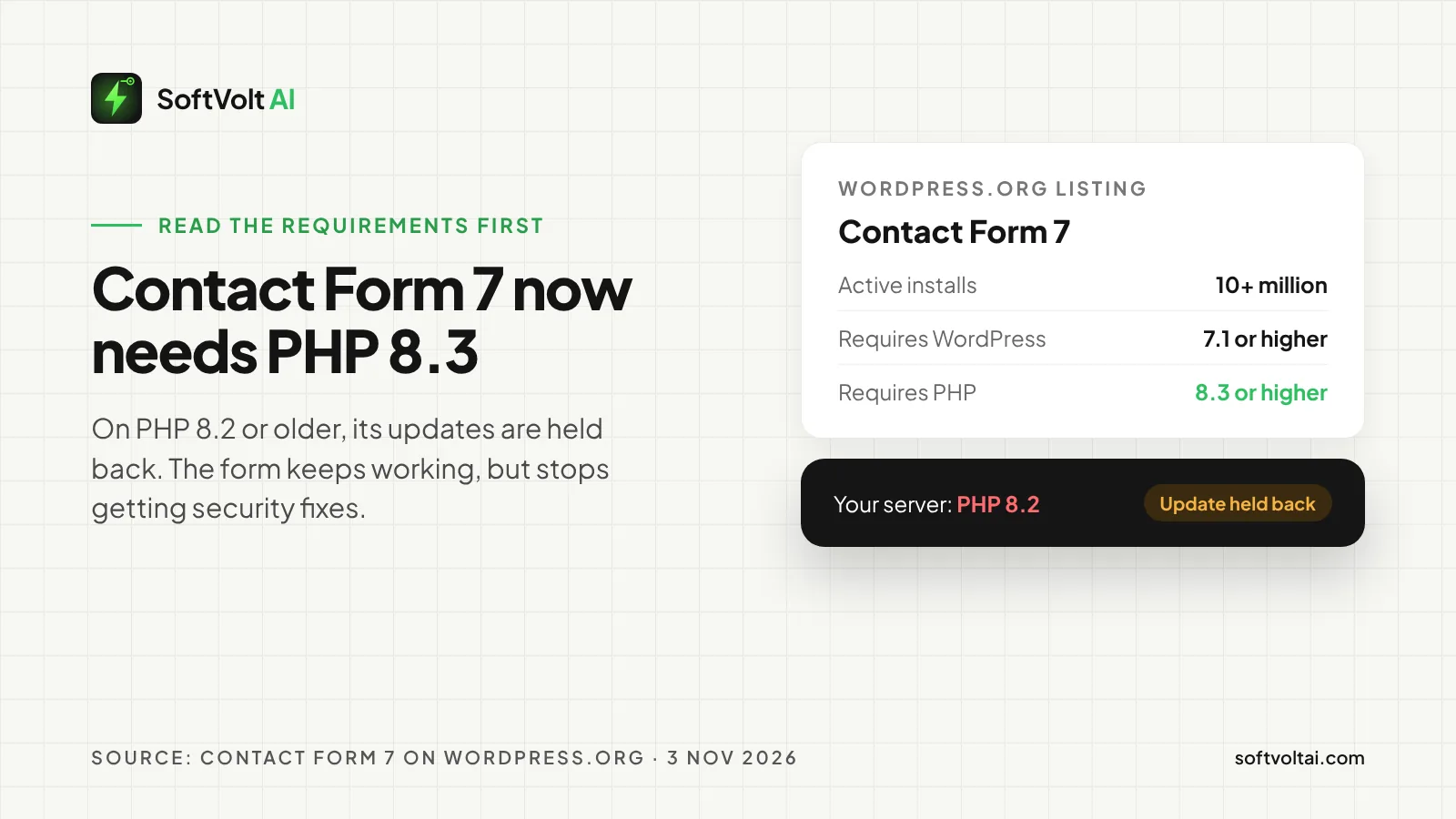
If the host runs PHP 8.2 or older, Contact Form 7 updates will be held back. The plugin does not stop working that day. But an out-of-date form plugin is a real risk, because forms accept input from anyone on the internet.
Do not edit the plugin’s files or force the update. Move the site to PHP 8.3 or newer, after testing.
Can a PHP upgrade break WordPress plugins and themes?
Yes, which is why it should never be the first thing you change. Each PHP version removes or tightens older features, and code written years ago can stop with a fatal error on the new version. Abandoned plugins and heavily customised themes are the usual culprits, and inherited client sites tend to have both.
WordPress has a safety net. Since 5.2, when a plugin or theme causes a fatal error, WordPress emails the site’s admin address a recovery mode link that pauses the faulty code so you can log in. Visitors still see the broken site until it is fixed, so treat recovery mode as a way back in, not a fix. On client sites, check that the admin address actually reaches someone on your team, not a former employee of the client.
| Database update | PHP compatibility warning | Error after PHP upgrade | |
|---|---|---|---|
| Cause | New files, older database structure | Plugin needs newer PHP than the server | Old code the new PHP rejects |
| Where to fix it | WordPress dashboard | Hosting control panel | Plugin, theme or custom code |
| Risk if ignored | Admin blocked, or shop data out of step | No more security fixes | Site down for visitors |
| Safe first step | Backup, then click once | Test the new PHP on staging | Recovery mode, then roll back |
How to check WordPress plugin and theme PHP compatibility
- Find the PHP version. It is under Tools, Site Health, Info, Server. Done when you know the exact version.
- List every active plugin and theme. Note each one’s “Requires PHP” value and last update date. Done when nothing on the list is a guess.
- Flag the risky ones. Anything not updated for a year, or with no stated PHP support. Done when you have a short list to test first.
- Copy the site to staging and switch PHP there. Done when staging runs the version you want live.
- Click through the journeys that earn the client money. Forms, checkout, logins, search, booking. Done when each one works.
- Read the error log. Deprecation warnings are a to-do list. Fatal errors are blockers. Done when there are no fatal errors.
How to update PHP safely without breaking a website
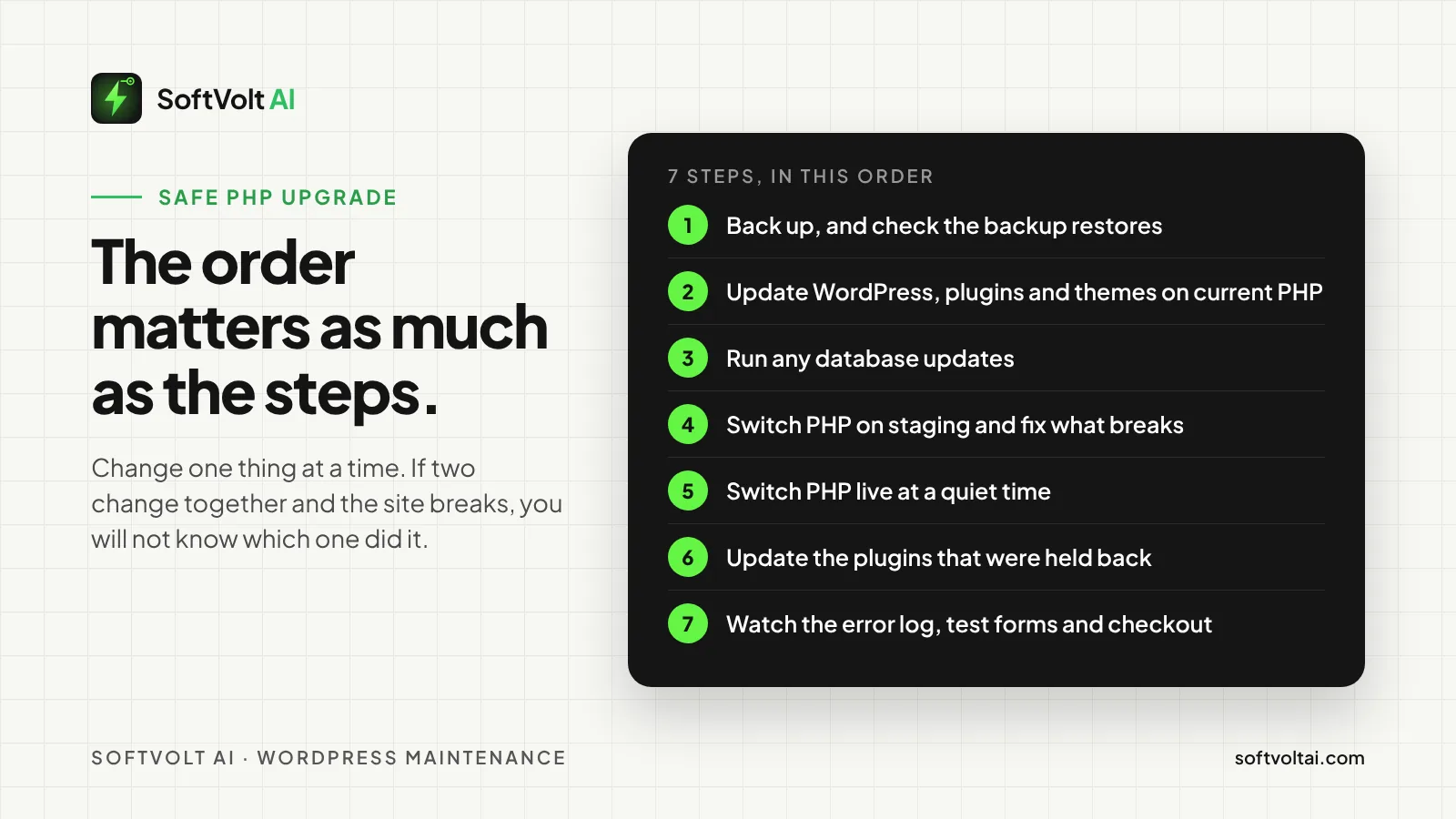
- Back up files and database, and check the backup restores, as WordPress’s own update guidance advises.
- Update WordPress, plugins and themes on the current PHP first.
- Run any database updates WordPress or WooCommerce asks for.
- Switch PHP on staging, then fix or replace anything that breaks.
- Switch PHP on the live site at a quiet time, in the host’s control panel.
- Update the plugins that were held back, such as Contact Form 7.
- Watch the error log and test forms and checkout for a few days.
Change one thing at a time. If two things change together and the site breaks, you will not know which one did it.
WordPress update best practices for agencies
- Remove what you do not use. Every inactive plugin is one more thing to keep compatible.
- Avoid Friday afternoons. Update when someone can watch the site for the next few hours.
- Keep a short update log per client. Date, what changed, what you tested. It turns a two-hour hunt into a two-minute one, and it is the evidence clients ask for when something goes wrong.
- Do not let PHP drift. Moving one version a year is far easier than jumping three at once.
- Batch by host, not by client. Sites on the same host usually move PHP the same way, so test one and roll the rest.
If that list feels like a part-time job across a whole client book, it is the work a maintenance plan exists to cover.
UK rules: security, personal data and supported software
- UK GDPR expects up-to-date security. The ICO’s security guidance says you must use appropriate technical and organisational measures, and check periodically that they stay appropriate and up to date. A contact form collects personal data, so its plugin is part of that.
- Cyber Essentials expects supported software. The NCSC’s April 2026 requirements say software in scope must be supported, removed when it becomes unsupported, and patched within 14 days for critical or high-risk fixes. If the web server is in scope, end-of-life PHP is a finding.
- Breaches have a deadline. If an outdated plugin leads to a personal data breach that risks people’s rights, it must be reported to the ICO within 72 hours of becoming aware of it.
- Keep the paper trail. The update log doubles as evidence that you and your client take security seriously.
Frequently asked questions
Is it safe to click “Update WordPress Database”?
Yes, in almost every case, as long as you have a recent backup. It is a normal part of a WordPress or WooCommerce update. Click once, wait for “Update Complete”, and do not close the tab while it runs. On large shops it can take a while.
Why can’t I update a plugin in WordPress?
The most common reason is that the new version needs a newer PHP version than the server runs. WordPress holds the update back rather than install something that could break the site. Check the plugin’s “Requires PHP” value against the PHP version in Site Health.
What PHP version should a WordPress site use?
WordPress recommends PHP 8.3 or greater. PHP 8.3 receives security fixes until 31 December 2027 and PHP 8.4 until 31 December 2028. Anything older than 8.2 no longer gets security fixes, and 8.2 stops at the end of 2026.
Will updating PHP break my website?
It can, if a plugin, theme or piece of custom code relies on something the new version removed. That is why you test on a staging copy first. Most well-maintained plugins handle new PHP versions without trouble. Abandoned ones are the risk.
Is a database update the same as a PHP upgrade?
No. A database update happens inside WordPress after new WordPress or plugin files arrive. A PHP upgrade changes the language the server runs, and is done at the host. They can happen in the same week, but they are separate jobs.
Hand WordPress updates to a team that does them every week
We keep WordPress and WooCommerce sites updated, tested and backed up for agencies, under your brand, PHP upgrades included. Your clients see your logo on the reports; we do the staging tests and the 2am rollbacks nobody wants to do.
- See our white-label website maintenance plans.
- Site already broken after an update? Our WordPress security and clean-up service turns it around quietly.
- Or send us a brief with the sites you want covered.
Comments
No comments yet. Yours would be the first.
Leave a comment
Your email is not published. Comments are read before they appear, so give it a few hours.